

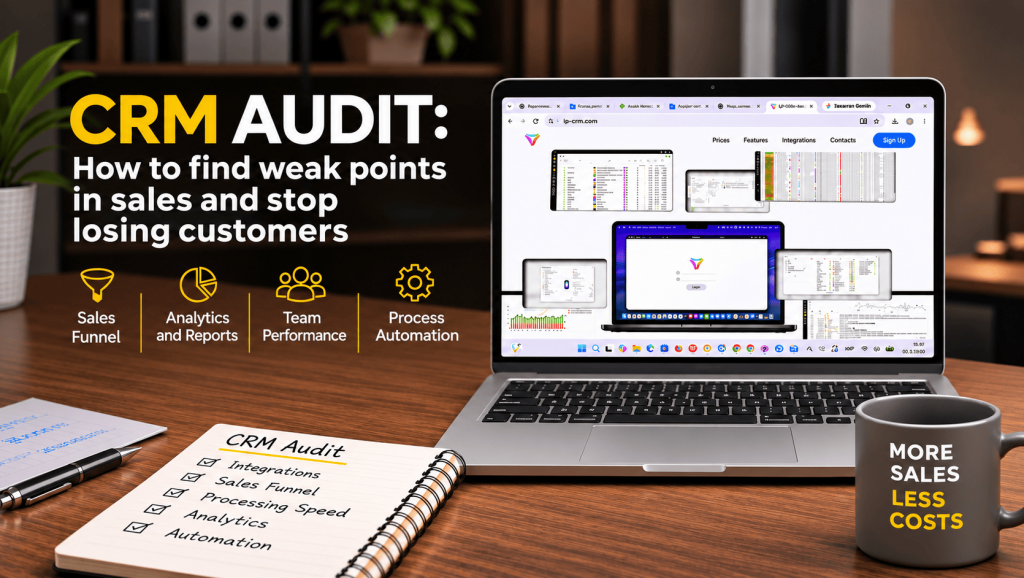
Your ads are running, leads are coming in, and managers are processing orders. Everything seems to be going well. But at the end of the month, sales turn out to be lower than expected.
Sound familiar?
The problem isn’t always advertising or customer demand. Sometimes businesses lose customers after they’ve already submitted an order request. A manager fails to call back in time, an order gets lost, or a potential buyer never receives a response.
These situations can happen every day and go almost unnoticed.
A CRM audit helps identify these problems, improve sales processes, and manage customer relationships more effectively.
What Is a CRM Audit and Why Is It Important?
A CRM system helps businesses store customer information, process orders, monitor sales managers’ performance, and analyze sales results.
However, even a good CRM system won’t deliver the expected results if it isn’t used properly.
A CRM audit is a review of how a company handles customer inquiries and orders, from the initial contact to order completion.
During an audit, businesses examine:
- Whether all leads are captured in the CRM.
- How quickly managers respond to customers.
- Why some orders never result in a purchase.
- Whether the system settings are configured correctly.
- Which daily tasks can be automated.
- How effectively advertising and sales teams are performing.
The main goal is to understand where the business is losing opportunities and how to fix these issues.
Why Online Stores Lose Leads
1. Sales Managers Take Too Long to Respond
Today’s customers rarely wait for hours. They may browse products from several online stores at once and choose the one that responds first.
For example, a customer submits an order request through a product landing page. Half an hour passes, but nobody calls. During that time, the customer finds a similar product from a competitor and places an order there.
For the original store, this is a lost sales opportunity.
Imagine a business receives 100 leads per day, with an average order value of UAH 1,200. If 15 leads are not processed promptly, they represent UAH 18,000 in potential revenue.
Of course, not every lead would necessarily result in a purchase. However, such delays can significantly affect sales performance.
What to do: Check response times, review the number of unprocessed leads, and set up reminders for follow-up calls.
2. Leads Get Lost Between Different Channels
Online stores receive orders from websites, landing pages, Instagram, Facebook, marketplaces, and other sources.
It is important to ensure that all leads are captured in the CRM.
If data transfer is not configured correctly, some orders may get lost. A customer submits their contact details, but the sales manager never even sees the request.
What to do: Check whether leads are received from all channels, whether contact information is transferred correctly, and whether duplicate orders are being created.
3. Sales Managers Forget Customer Agreements
“I’ll call you tomorrow.” “I’ll check product availability.” “I’ll message you this afternoon.”
These are everyday situations in sales. But when order volumes are high, it’s easy to forget some commitments.
This is especially true when information is stored in personal messaging apps or notebooks.
A CRM helps prevent such problems by keeping communication history, creating tasks, and reminding managers about the next steps.
What to do: Check whether customer agreements are recorded in the system and whether reminders are configured.
Sales Funnel: Where Exactly Are Customers Dropping Off?
A sales funnel shows the customer’s journey from the initial inquiry to the final purchase.
If a CRM only uses statuses such as “New,” “In Progress,” and “Sold,” it can be difficult to understand why some customers never complete their orders.
For e-commerce businesses, it is useful to have more detailed stages:
- New lead.
- Unable to reach customer.
- Contact established.
- Order confirmed.
- Awaiting shipment.
- Order completed.
- Rejected or canceled.
This structure helps identify where problems occur.
For example, if many leads remain in the “Unable to Reach Customer” stage, sales managers may not be making enough follow-up attempts.
If customers frequently cancel confirmed orders, it may be worth reviewing delivery terms, payment options, and service quality.
A properly configured sales funnel helps businesses do more than count leads. It allows them to understand why sales opportunities are being lost.
Automation: Less Routine Work, More Time for Customers
When an online store receives only a few orders per day, managers can handle most operations manually.
But as the business grows, this becomes a problem.
Creating shipping labels, sending messages, updating order statuses, and making follow-up calls all take time.
For example, if creating one shipping label takes two minutes, processing 150 orders will require five hours every day.
Some of this work can be automated using a CRM.
The system can help:
- Generate shipping labels.
- Distribute leads among sales managers.
- Send notifications to customers.
- Set reminders for follow-up calls.
- Update order statuses.
Automation reduces manual work and allows employees to spend more time helping customers.
CRM Analytics: How to Understand What Works and What Doesn’t
A large number of leads does not necessarily mean high sales.
For example, one advertising campaign may generate many inexpensive leads, but few customers actually confirm their orders. Another campaign may generate fewer leads but result in more completed sales.
To evaluate performance accurately, businesses need to track not only the number of inquiries but also what happens afterward.
During a CRM audit, pay attention to:
- The number of received and completed orders.
- Sales managers’ response times and performance.
- Reasons for customer cancellations.
- Results from different advertising channels.
- The number of repeat purchases.
This data helps businesses identify processes that need improvement and determine where advertising budgets can be spent more effectively.
How to Conduct a CRM Audit Yourself
You don’t necessarily need external specialists for an initial CRM audit. You can start with five simple steps.
Step 1. Check Lead Collection.
Place a test order on your website and make sure it appears correctly in the CRM.
Step 2. Evaluate Sales Managers’ Response Times.
Review how quickly managers respond to customers and whether any leads remain unprocessed.
Step 3. Analyze Your Sales Funnel.
Identify the stages where orders most frequently get stuck and find out why customers cancel their purchases.
Step 4. Review Daily Processes.
Determine which tasks take the most time and whether they can be automated.
Step 5. Analyze Results Regularly.
Repeat the audit periodically to identify problems early and continuously improve your store’s operations.
Even a simple audit like this can help reveal weaknesses that previously went unnoticed.
LP-CRM: A Tool for Effective Sales Management
For e-commerce businesses, it is important to use a CRM that supports the specific needs of online stores, including high order volumes, shipping, cash-on-delivery payments, returns, and multiple advertising channels.
One such solution is LP-CRM, a Ukrainian CRM system designed to automate sales processes for product-based businesses.
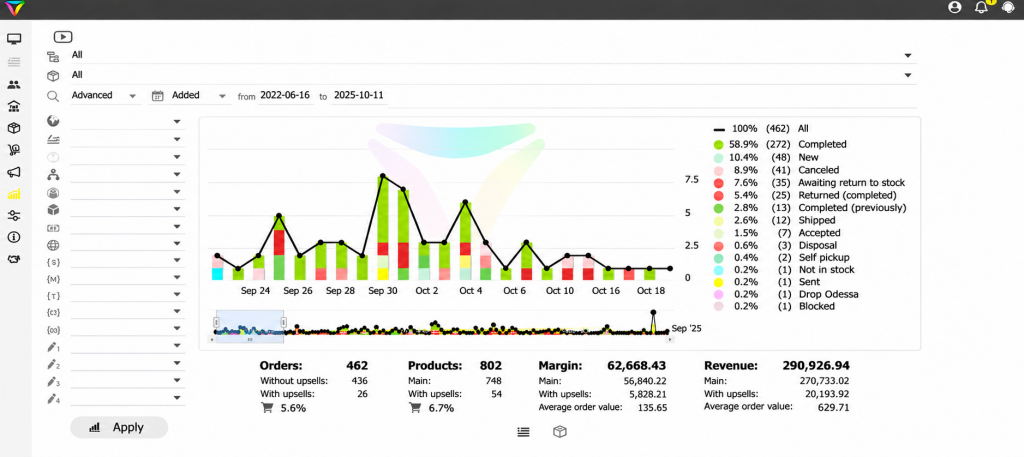
LP-CRM helps businesses:
- Collect leads from websites, landing pages, marketplaces, and other connected sources.
- Save up to 40% of time by automating routine tasks.
- Monitor every stage of the sales process.
- Create and track shipping waybills through integrated delivery services. Waybill creation is 3.5 times faster than manual processing.
- Send SMS notifications through connected services.
- Analyze order performance, sales managers’ activities, and results from different lead sources.
- Maintain fast interface performance even with 1,000+ orders per day. The system can handle over 100,000 orders per month without performance issues.
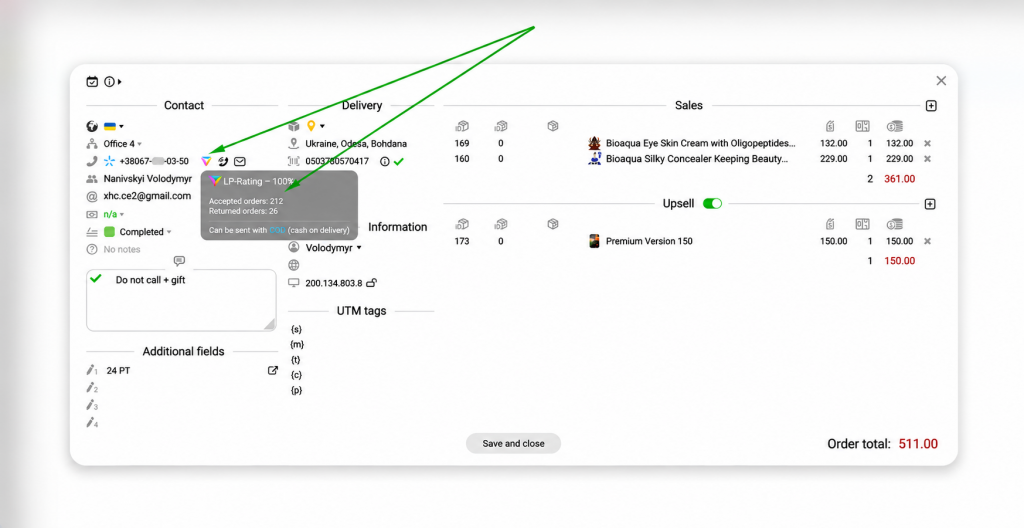
Another advantage of the system is LP-Rating. LP-CRM processes more than 20 million orders annually, making its database one of the largest in Ukraine’s e-commerce sector.
For stores that offer cash-on-delivery payments, unclaimed parcels create additional expenses related to shipping, packaging, and order processing.
LP-Rating helps businesses assess customers’ parcel collection and return history, allowing them to better evaluate potential risks before shipping an order.
LP-CRM also offers a free plan called Free, which allows businesses to explore the system’s features without paying for a subscription.
Conclusion
When sales fall short of expectations, business owners often try to attract more customers by increasing advertising budgets, launching new campaigns, and exploring additional marketing channels.
However, sometimes it is more effective to first examine what happens to the leads the business already receives.
A CRM audit helps identify weaknesses, reduce the number of unprocessed orders, improve sales managers’ performance, and automate everyday operations.
After all, growing sales is not just about attracting new customers. It’s also about making sure you don’t lose the ones who have already reached out to your store.
Leave a Reply