

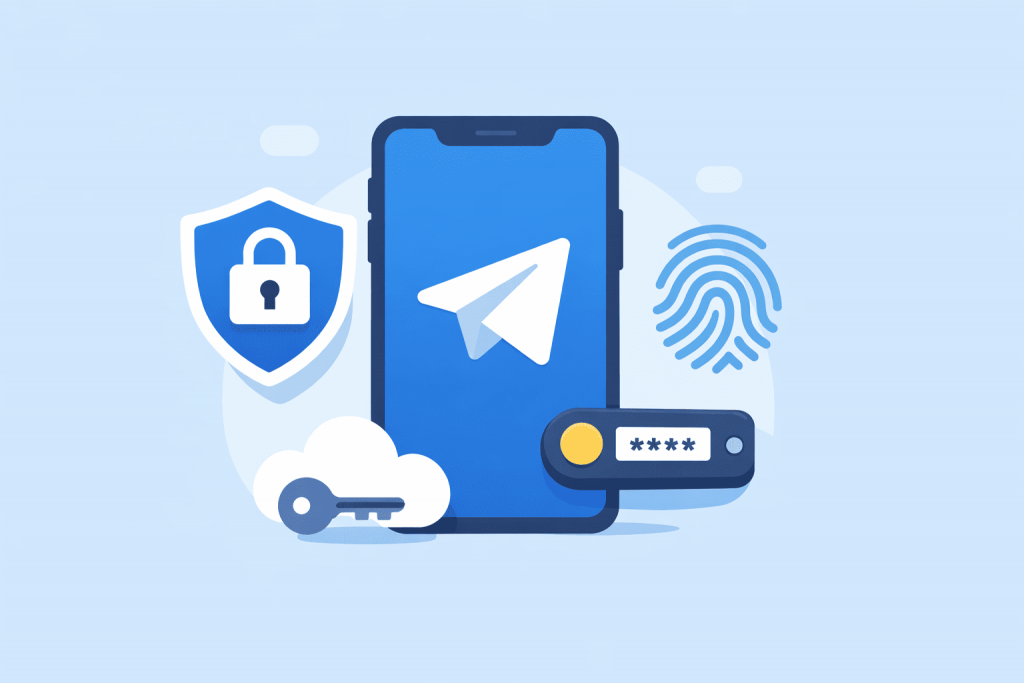
Over the past few years, Telegram has evolved from a simple messenger into a full-fledged platform for communication, work, business, and information sharing. It stores personal conversations, work chats, financial agreements, access to services, and even elements of users’ digital identity. That is why account security has become critically important. The latest Telegram update, which allows users to log in without passwords and SMS codes, is a logical step toward modern digital security.
Why traditional passwords and SMS are no longer reliable
For decades, most online services have relied on the classic login scheme using a password and SMS confirmation. At first glance, it seems convenient, but in practice it has serious drawbacks. Passwords are often reused across different websites, stored in browsers without proper protection, or fall victim to phishing — fraudulent websites that imitate legitimate services. SMS codes are also far from ideal, as they can be intercepted through SIM swapping or vulnerabilities in mobile networks.
That is why major technology companies are gradually abandoning passwords in favor of more reliable identity verification methods that are harder to hack or fake.
What a passkey is and how it works
A passkey is a modern authorization method that replaces a password. Simply put, it is a digital key stored directly on your device or in a password manager. It is not transmitted over the internet in plain form and is not entered manually, which makes it impossible to spy on or intercept.
When logging into Telegram, the system interacts with your device, and confirmation takes place via Face ID, a fingerprint scanner, or the device screen lock code. Biometrics are unique physical characteristics of a person that are extremely difficult to replicate, which is why this login method is considered significantly more secure than traditional passwords.
How to enable Telegram login without a password and SMS
To take advantage of the new level of account protection in Telegram, no special technical knowledge or additional devices are required. The passkey feature is already built into the current versions of the app for Android and iOS and can be activated in just a few minutes. First, make sure Telegram is updated to the latest version via Google Play or the App Store, as the new feature may not be available otherwise.
After updating, open the Telegram app settings and go to the privacy section. This is where a new option related to passkeys appears. During the initial setup, the system will ask you to choose a password manager where the key will be stored. This can be a built-in solution from Google or Apple, or third-party services such as 1Password. A password manager is a secure vault that stores credentials in encrypted form and is accessible only to the device owner.
Next, Telegram will ask you to create or confirm a PIN code, which serves as a backup access method. After that, the passkey is linked to a specific Telegram account. If a user has multiple numbers or accounts, the system will prompt them to select the desired account and confirm their identity using Face ID, a fingerprint, or the standard device unlock code.
From that point on, logging in no longer requires entering a password or waiting for an SMS code. Authentication takes place locally on the device, significantly reducing the risk of account compromise. Even if a phone number is lost or messages are intercepted, an attacker will not be able to access the account without physical access to the smartphone.
How the new authorization changes the Telegram experience
For the average user, the changes are felt almost immediately. There is no longer a need to wait for an SMS code, remember a complex password, or worry that someone might gain access to the account through a compromised email. Logging in becomes faster and more reliable at the same time. This is especially important for people who use Telegram for work, channel administration, or communication with clients.
Another advantage is protection against mass attacks. Even if an attacker knows the phone number, they will not be able to log in without physical access to the user’s device. This significantly reduces the risk of hacking and makes accounts more resilient to modern threats.
Biometrics as a new standard of digital security
The use of biometrics has long gone beyond smartphones. Face and fingerprint scanning are widely used in banks, payment services, and corporate access systems. Telegram is effectively joining this global trend, making biometric authorization available to millions of users worldwide.
It is important to understand that biometric data is not transmitted to the messenger itself. It is processed at the level of the device’s operating system, which reduces the risk of data leaks and increases overall trust in the new feature.
The overall trend toward stronger online account protection
Telegram is not the only service moving in this direction. Similar solutions are already being implemented by messengers, social networks, and financial platforms. Users are gradually getting used to the idea that security is not an unnecessary complication but a part of comfortable use of digital products.
This trend is important not only for private communication but also for businesses operating online. Protecting accounts, websites, and customer data is becoming a key factor in trust and stability for online projects.
Telegram as a source of useful updates and offers
As messengers become more than just communication tools and turn into part of digital security and everyday work, high-quality content within the platforms themselves becomes especially valuable. RX-NAME has its own Telegram channel where current service discounts and useful materials about domains, hosting, and online security are regularly published. In addition, an RX-NAME chatbot is available in Telegram, allowing users to quickly receive information about services, promotions, and basic questions without visiting the website. This format is convenient for those who prefer to keep everything at hand and respond promptly to attractive offers directly in the messenger.
Leave a Reply