
The keyboard feels so familiar that it is easy to see it as a permanent part of the computer. We use it to enter passwords, write emails, work with websites, manage a server through the terminal, place an order in an online store. It is accurate, fast, and understandable. But that does not mean the keyboard will always be the main way to enter text.
The changes have already started. A short message is often easier to dictate. A search query can be spoken out loud. On a phone, we do not press physical keys; we touch the screen, swipe words, or choose a suggestion. What once looked like a compromise has become an everyday action. So the question is not whether the keyboard will disappear completely. It is more about something else: which technologies can take over part of its tasks.
Technologies that have already partly replaced the keyboard
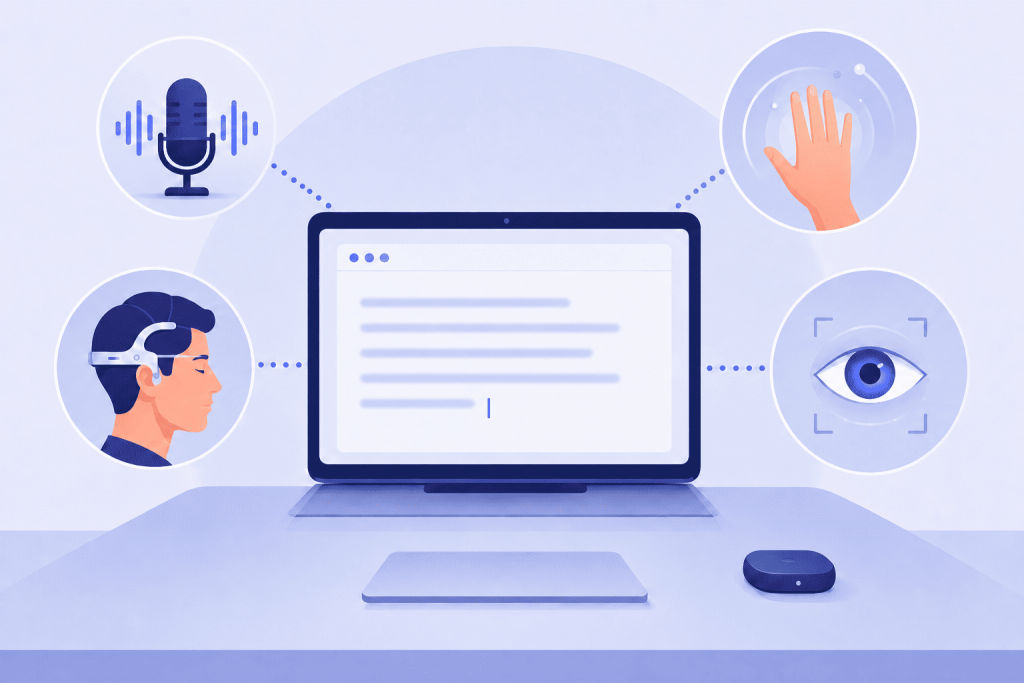
The first noticeable competitor was voice input. At first, it was perceived as something inconvenient: you had to speak clearly, correct mistakes, and adjust to the system. Now voice commands and dictation work much more naturally. They are not always suitable for the office, confidential correspondence, or working with code, but they cover everyday scenarios well: quick search, notes, messages, controlling smart devices.
The second direction is touchscreens. When smartphones first started replacing button phones, many people thought typing on glass would be slow and inconvenient. Partly, this is true: a physical keyboard still wins where a large amount of text is needed. But touch input gave something else: gestures, autocorrect, suggestions, swipe typing. In other words, the user no longer just presses keys, but interacts with a system that tries to predict their next action.
There are also less widespread, but important interfaces: handwriting input with a stylus, gesture control, on-screen keyboards for people with limited motor skills, eye-tracking systems. They have not replaced the keyboard for everyone, but they have shown the main thing: text input does not have to be tied to fingers and buttons.
Why it is hard to replace the keyboard completely
The keyboard stays with us not only because of habit. It gives the user control. Every action is clear, predictable, and easy to check. For passwords, console commands, working with texts, spreadsheets, code, or control panels, this is very important. A mistake in one character can matter, especially when it comes to configuring a website, VPS, or domain.
Voice input is fast, but not always private. A touchscreen is convenient, but loses on long texts. Gestures work well for commands, but not for complex wording. Suggestions help, but sometimes change a phrase in a way that is not needed. That is why new interfaces are not yet pushing the keyboard out, but taking over separate scenarios from it.
What Brain2Qwerty is and why people started talking about it
The most interesting direction right now is neurointerfaces, meaning technologies that try to turn brain signals into commands for a computer. In this context, Meta showed Brain2Qwerty v2 – a system that decodes text from non-invasive MEG recordings of brain activity. Non-invasive means without implanting a chip, and MEG records very weak magnetic signals connected with how the brain works.
An important nuance: this is not “mind reading” in the everyday sense. The system works in controlled conditions and is connected with the process of typing or forming text. It does not pull any random thought out of someone’s head. But the very fact that sentences can be reconstructed from brain activity without surgery shows the direction of development. According to the publication about Brain2Qwerty v2, the average word-level accuracy reached 61%, and the best result among participants was 78%. At the same time, the technology is not ready for daily use yet: the accuracy is not enough, and MEG equipment remains large and laboratory-based.
What may come next
Most likely, the keyboard will not disappear suddenly. It will remain where speed, accuracy, and control are needed. But its role may change. Voice will take over some simple actions. Suggestions and autofill will take over part of short replies. In mobile devices, gestures and contextual commands will matter even more. And neurointerfaces may become important not for everyone at once, but first for people who find it difficult to speak or move.
The future of text input will most likely be mixed. It will not be one technology replacing the keyboard, but several interfaces working side by side. For an email from a phone, the user will choose voice. For working with a server – a physical keyboard. For a quick search – a command or a suggestion. For a person who cannot use their hands, a neurointerface may become not a futuristic toy, but a way to communicate.
So the answer to the question “what technologies could replace the keyboard?” does not come down to one option. Voice input, touchscreens, gestures, autosuggestions, and accessibility systems are already partly replacing it. Neurointerfaces are not yet ready to become a mass tool, but they show that the boundary between a human and a computer is gradually changing. The keyboard will stay with us for a long time, it just will no longer be the only way to tell the computer what we want to do.
Leave a Reply